Accounting
Your bank flows into the books by itself.
Statements come straight from the bank, or you upload its file. Partners are recognised automatically, and invoices are settled on posting. Payment orders go to the bank from the same place.

Features
Your company’s money, up to date in the books.
Statements, fetched from the bank
Enter the keys from your bank once, and statements arrive by themselves several times a day, ready to post.
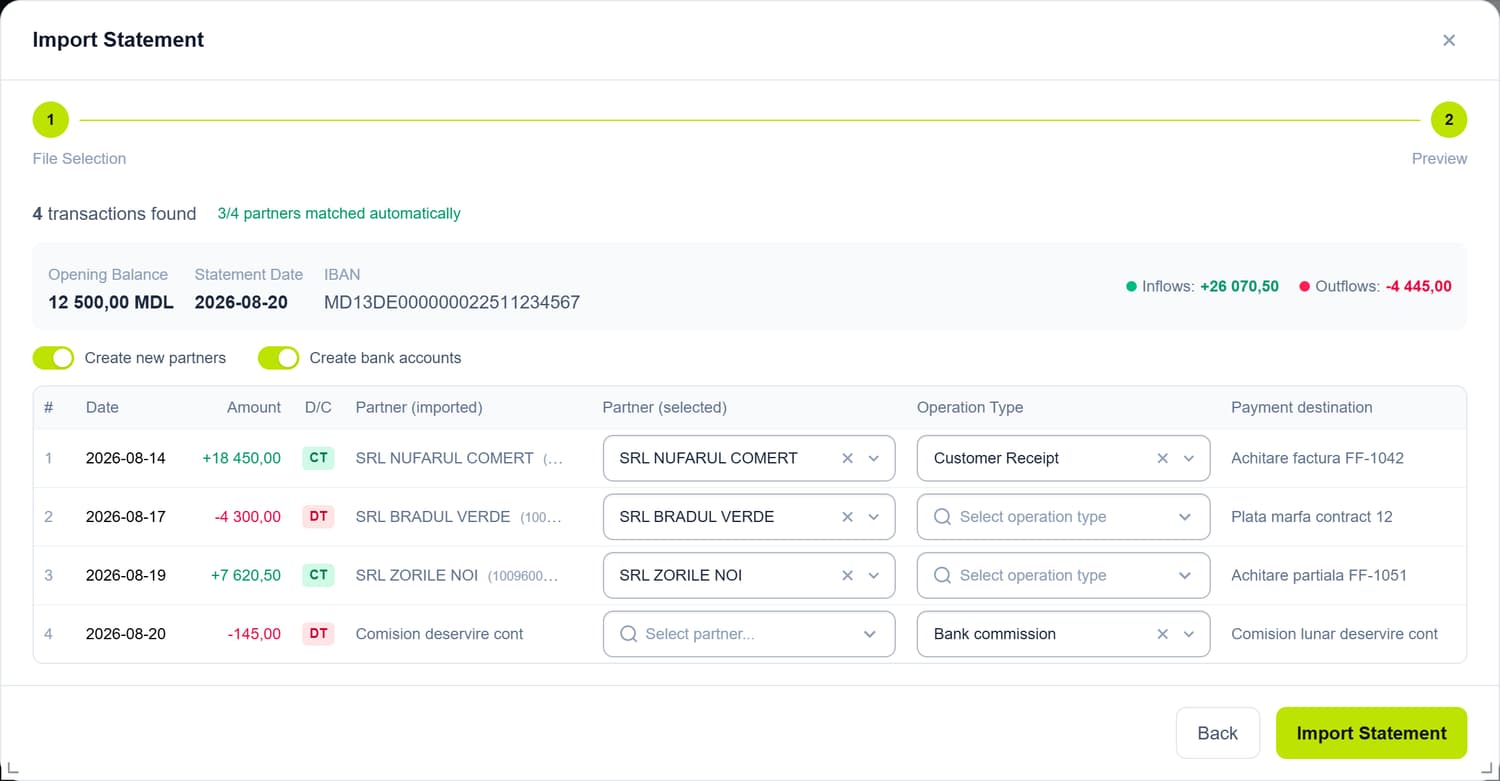
Statements from a file
Upload the file downloaded from your bank and review the lines before saving, with the balance and the day’s totals.
Partners, recognised
Each line gets its partner from your directory; a new one can be created during import. Payments you requested from customers via MIA link themselves to the bank line.
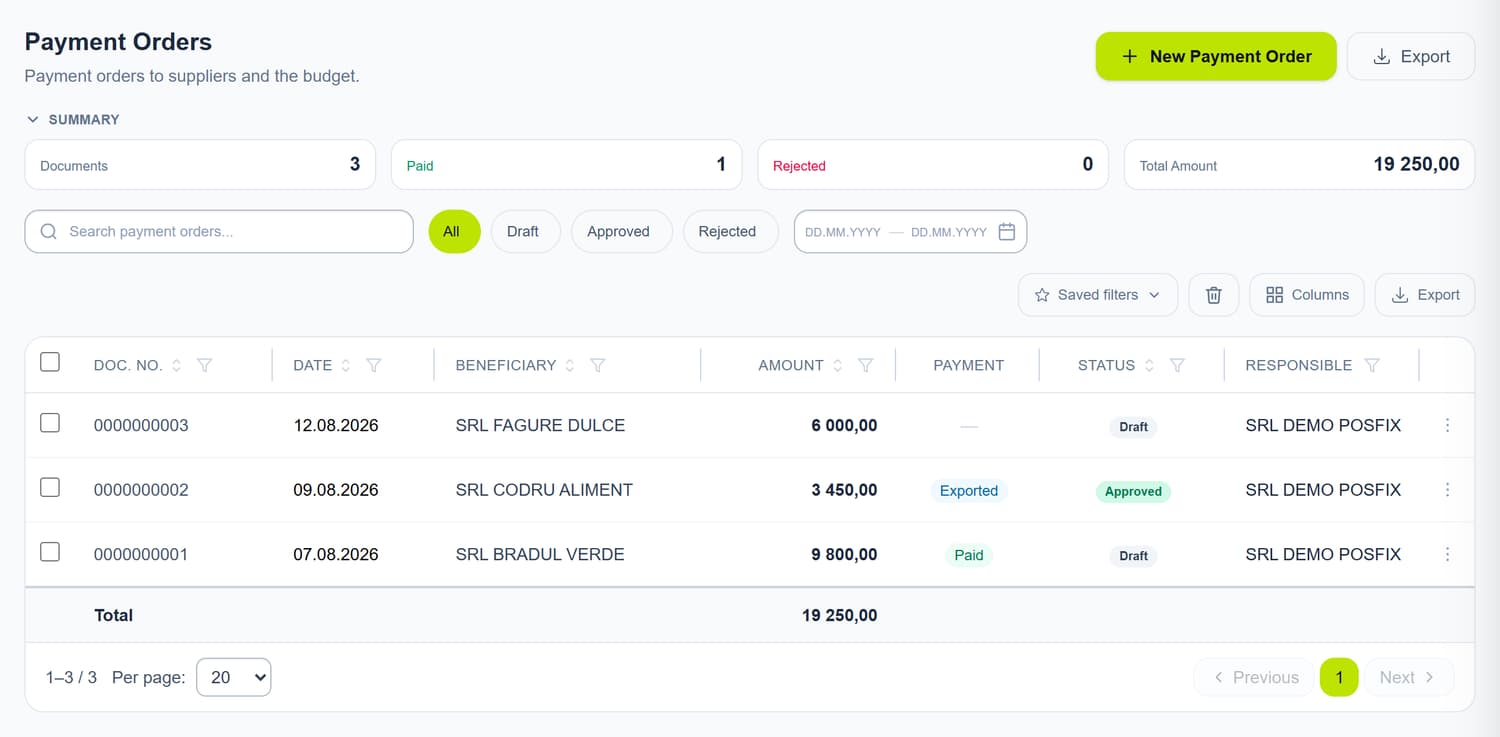
Payment orders
Draw up the payment order in the panel and send it to the bank for signing, or download it as an import file.
Tax payments
The tax payment order shows what you owe for each month, straight from the books, and fills in the amount for the period you pick in one click.
Invoices settle themselves
On posting, the payment closes the partner’s invoices starting from the oldest; the rest stays as an advance. An amount you set on an invoice has the final say.
Paying through the bank
We prepare the payment, you sign it at the bank.
The order goes to the bank straight from the panel, no file needed. No money leaves until someone from your company signs it in the bank’s app, and once the payment shows up in the statement, the order is marked as paid.
- “Send for signing” straight from the panel
- You decide whom and how much to pay, with your signature
- An import file for your bank
- Paid once the payment shows up in the statement
The POSfix team helps you
Let's launch
your business on POSfix together.
The first 14 days are free, with no contract. We show you how things work, help you set up and stay by your side afterwards.