Inventory & stock
Paper invoices enter your books without manual entry.
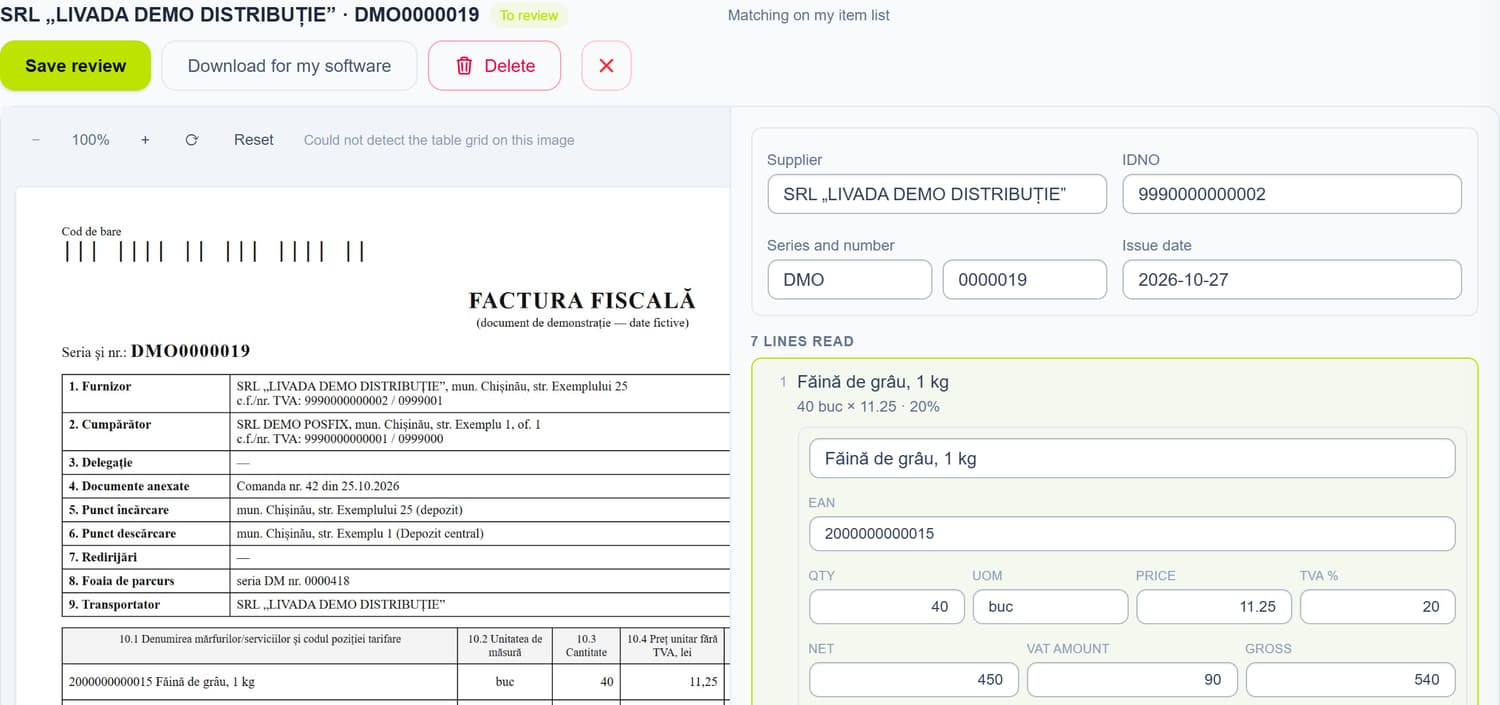
Photograph or upload the tax invoice, we read it in the background, and you check the lines next to the photo. From the checked invoice you create the supplier invoice in POSfix or download the file for your own program.

Features
From a photo to a supplier invoice.
Many at once
Drag several invoices onto the page, as PDFs or photos, or take a picture with your phone. They are read in the background, with progress shown for each batch.
Check it next to the photo
The data read sits next to the invoice, line by line. An IBAN or barcode that fails validation is flagged before you use it.
Figures exactly as on the invoice
Prices, amounts and VAT come in as printed, without recalculation. The VAT rate is read on every line, so 20% and 8% on the same invoice are not mixed up.
The supplier invoice, filled in
Each line is linked to a catalogue product or a new one is created, with its type, VAT rate and unit. Then you open the filled-in supplier invoice.
The same file is read only once
The same file uploaded again is not read a second time: you get the result already obtained, without using up your recognitions.
Through the API, from another program
With the API module, your program sends the invoices and picks up the result without opening the panel.
Another program
Keep your books elsewhere? The invoice comes with your codes.
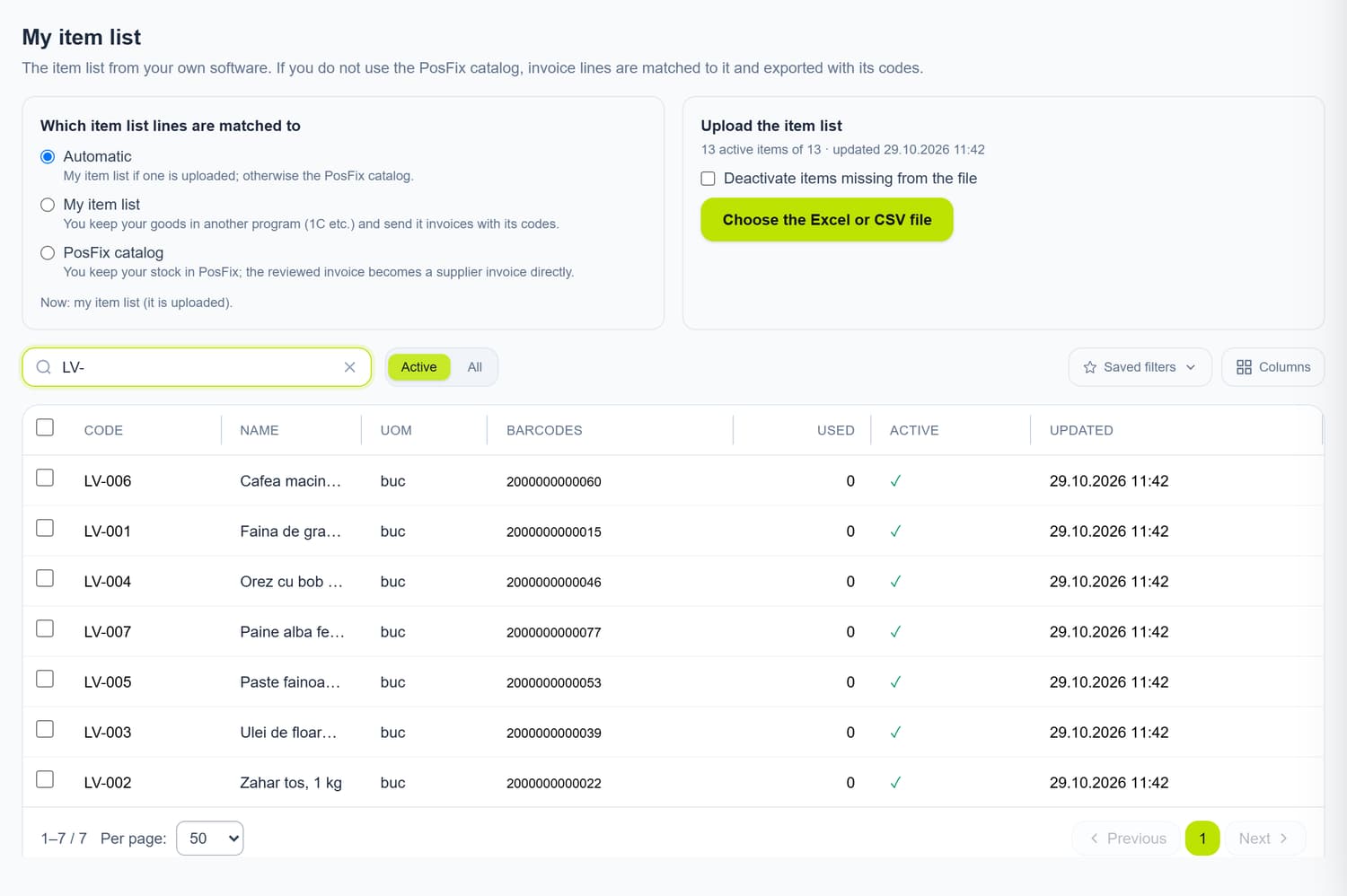
Upload the item list from your program (1C or another) as an Excel or CSV file, and the invoice lines are matched against it. You download the checked invoice as Excel, with your codes, ready to import.
- Columns are recognised by their heading, in Romanian, Russian or English
- What you confirm for a supplier is remembered next time
- Excel with fixed columns, for an import you set up once
- Your item list is not sent anywhere: matching happens on our side
The POSfix team helps you
Let's launch
your business on POSfix together.
The first 14 days are free, with no contract. We show you how things work, help you set up and stay by your side afterwards.