Sales
Your online shop starts from what you already have.
Products, prices, stock and photos come from POSfix, and orders go into Sales like any customer order. You choose what to sell, how the buyer gets the goods and how the shop looks, then you publish it.

Features
One shop, the same books.
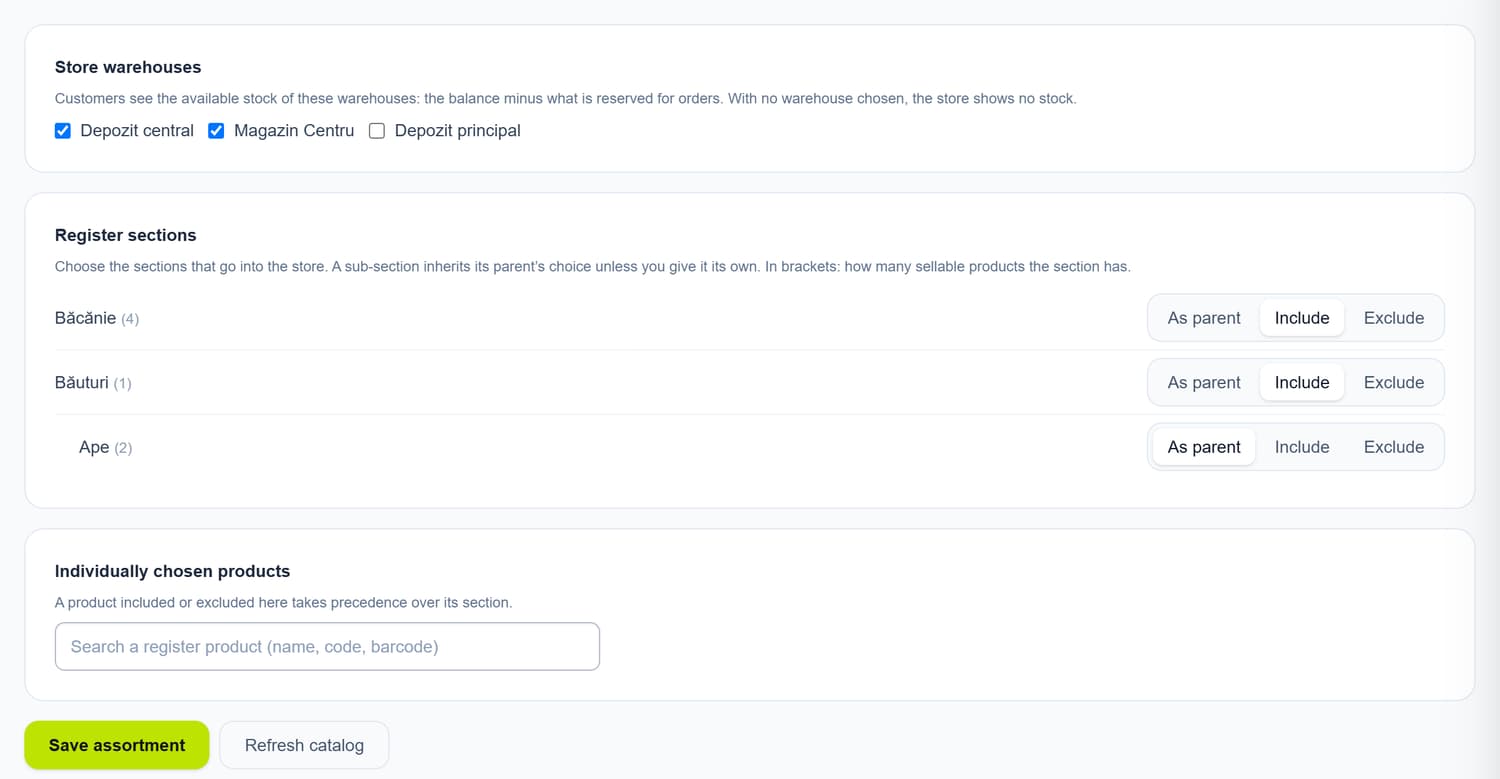
Assortment from your catalogue
Pick the register sections or individual products. Buyers see what is available in the warehouses you choose: the balance minus what is already reserved for orders.
Orders go into Sales
An order arrives like any customer order, with the goods reserved in the warehouse. A buyer who leaves an email gets a confirmation and is notified when the order is ready for pickup or has shipped.
Pickup and Nova Post
Pickup points with an address and opening hours, each can have its own warehouse; the buyer pays at the till with a fiscal receipt. With the Nova Post integration, they choose a branch or parcel locker and pay on delivery.
Online card payment
With MIA Payments, the buyer can pay for the order by card on the bank’s page. An order not paid in time is cancelled automatically and the reserved goods are released.
The look, without a developer
Two themes, colours, home page sections, your own pages and menus. You work on a draft, publish when ready and can bring back any published version.
Languages and Google
The shop can be in Romanian, Russian and English, each language with its own addresses. The sitemap and the Google Shopping product feed rebuild themselves from the assortment, prices and stock.
Launch
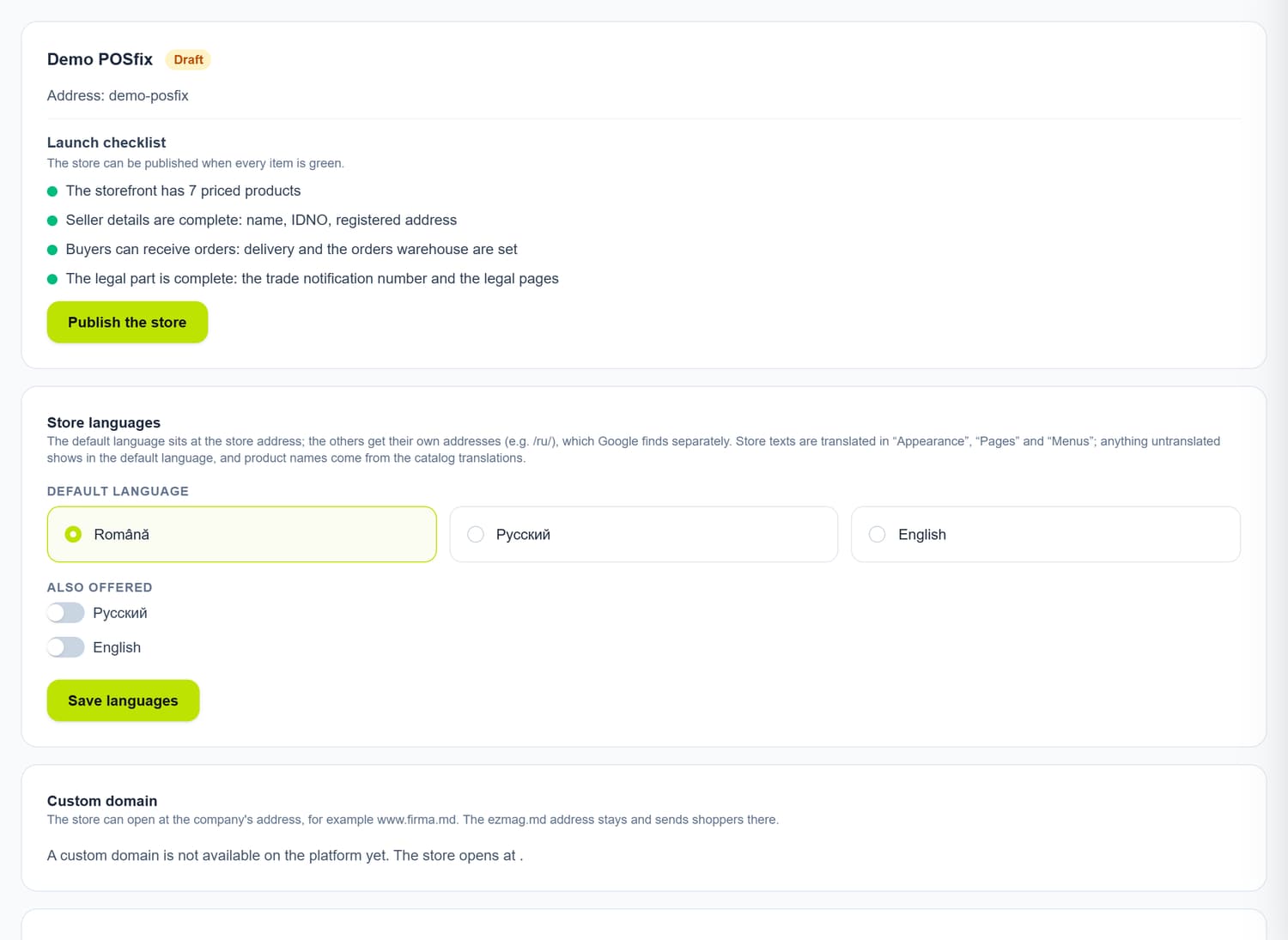
The shop goes live only when it is ready.
The launch checklist checks what an online shop needs: products with prices, the seller’s details, how the buyer receives the order and the trade notification number. Until then the shop stays a draft that buyers cannot see.
- Only products with a price reach the shop
- The seller’s details in the footer of every page
- Terms, privacy and 14-day returns, filled in with your company details
- The buyer’s consent is kept on the order
The POSfix team helps you
Let's launch
your business on POSfix together.
The first 14 days are free, with no contract. We show you how things work, help you set up and stay by your side afterwards.